Task tracking built for
AI-assisted development
Local-first, single-binary task tracker designed for developers
who work alongside AI assistants like Claude, Cursor, and Copilot.
MCP-First Design
The AI integration is a primary interface, not a wrapper. Claude, Cursor, and Copilot connect directly via Model Context Protocol.
Single Binary, Zero Dependencies
One Go binary with embedded SQLite. No Docker required, no external services, no configuration files needed to start.
Per-Project Storage
Each project gets its own SQLite database in .tasks/ — tasks live with your code. No cloud sync, no vendor lock-in.
4 Interfaces, 1 Service Layer
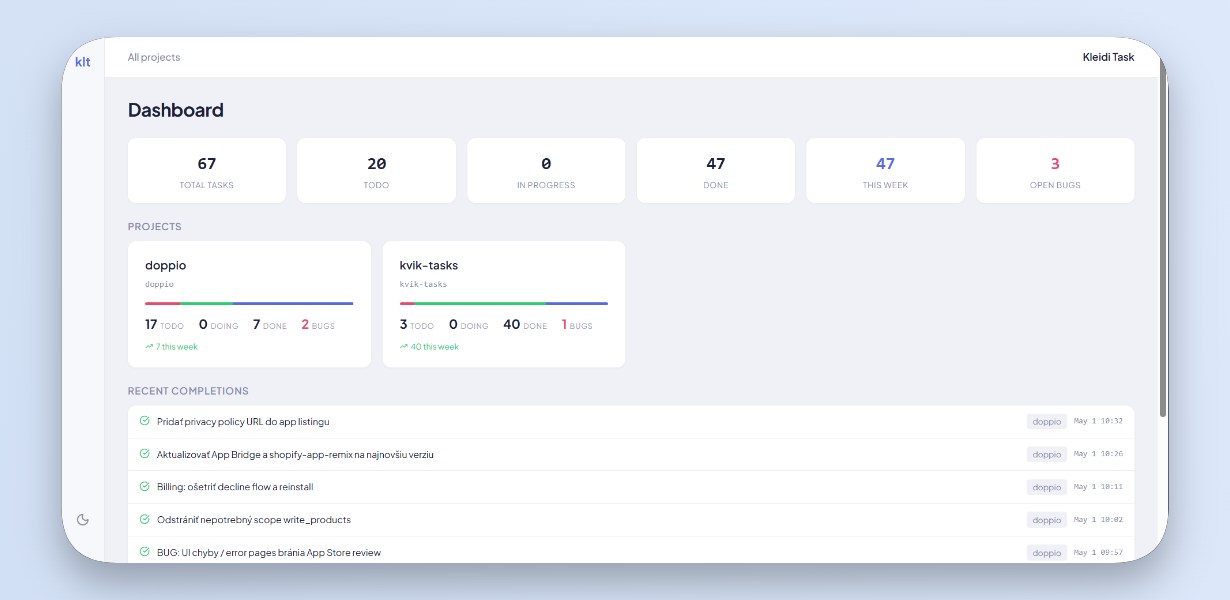
CLI, REST API, Web UI (HTMX + Kanban), and MCP server — all sharing one service layer. Use whichever fits your workflow.
Phase-Based Workflows
Each task type has a workflow with phases, AI prompts, and triggers. Bugs go through reported → reproducing → fixing → verifying → done.
Developer-Native
Git commit linking, TODO/FIXME scanning, VS Code extension, script hooks on task events, full-text search. Built by developers, for developers.
Quick Start
# Install
go install github.com/tomas-chudjak/kleidi-task/cmd/klt@latest

# Initialize in your project
cd my-project
klt init

# Add tasks — AI or human
klt add "Implement user authentication"
klt add "BUG: Login fails on Firefox"

# Connect your AI assistant
claude mcp add kleidi-task -- klt mcp
How It Works
You (CLI / Browser / Claude / Cursor)
    │
  klt binary (single process)
    │
  Service Layer (TaskService, ProjectService, WorkflowService)
    │
  SQLite (per-project .tasks/tasks.db + global ~/.tasks/registry.db)
Tasks are stored locally in your project directory. A global registry maps projects by slug. Cross-project queries aggregate on demand.
Why kleidi-task?
Existing task managers are designed for humans clicking buttons. kleidi-task is designed for the way modern developers actually work — with AI assistants in the loop.
- Say
"task: implement search"in Claude and the task is created instantly - AI assistants read your task context and follow phase-specific instructions
- No context switching between your editor and a task management app
- Everything runs locally — your tasks never leave your machine